Live radio
Tens of thousands of stations from Radio Browser and the SHOUTcast directory, by country, by genre or by name — and any stream address you paste in yourself.

Audio
Coming soon
Every station in the world. Your podcasts. Your music. One player.
Find a station in Tokyo or the one down the road, follow the podcasts you love and play the music already on your device. Unleashed brings all three into one player that follows the song with its lyrics — and that you can rebuild, piece by piece, until it looks exactly the way you want. No account, no tracking.
One player
Tens of thousands of stations from Radio Browser and the SHOUTcast directory, by country, by genre or by name — and any stream address you paste in yourself.
Search Apple Podcasts and Podcast Index at once, or paste a show’s RSS address. Subscribe, pick up where you stopped, download episodes for offline listening.
Point it at a folder of MP3, FLAC or WAV files and browse them by song, artist and album, cover art included.
Inside Unleashed
It plays in the background, comes back on its own when the network drops, and remembers where you were.
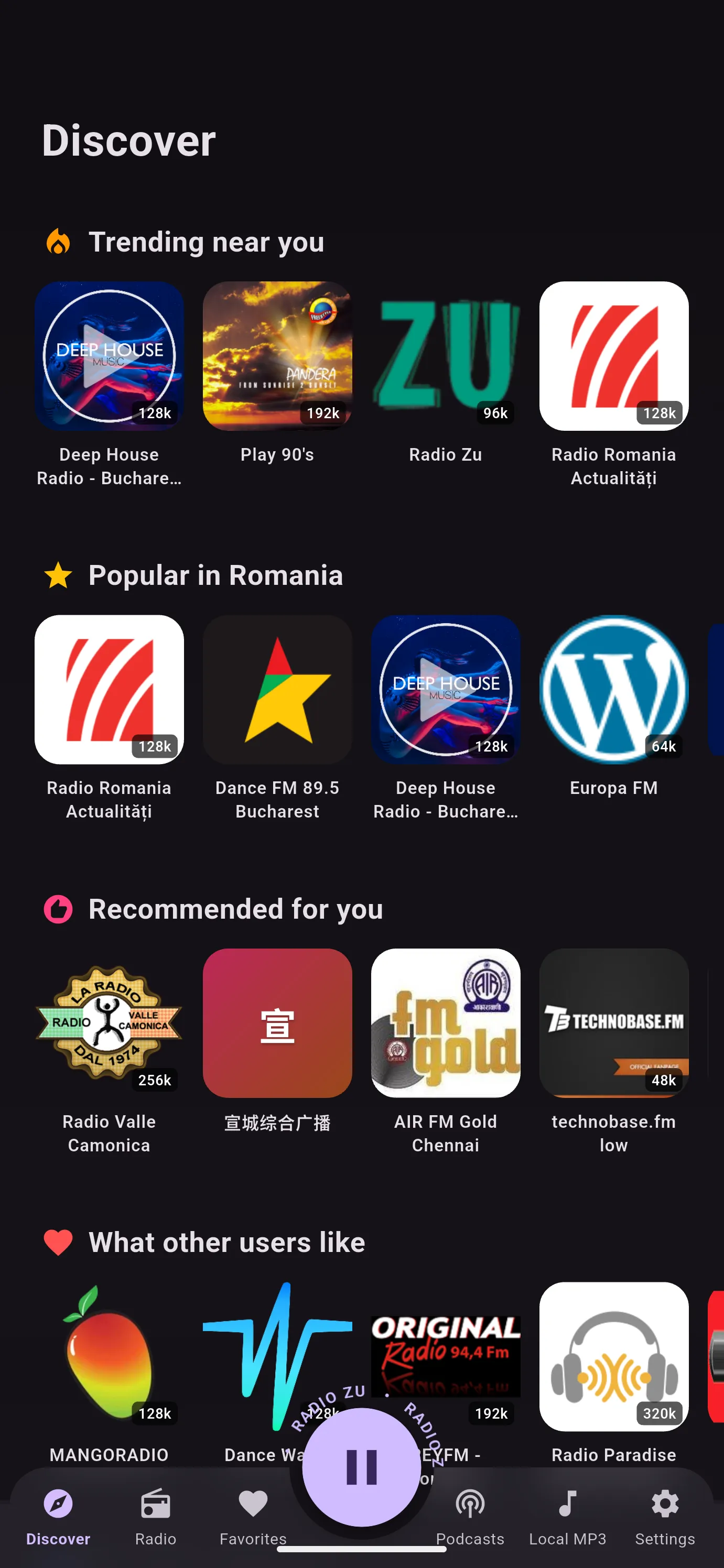
Discover starts where you are: what is trending near you, what is popular in your country, what is recommended for you and what other listeners like — and from there, rows by genre and new podcasts.
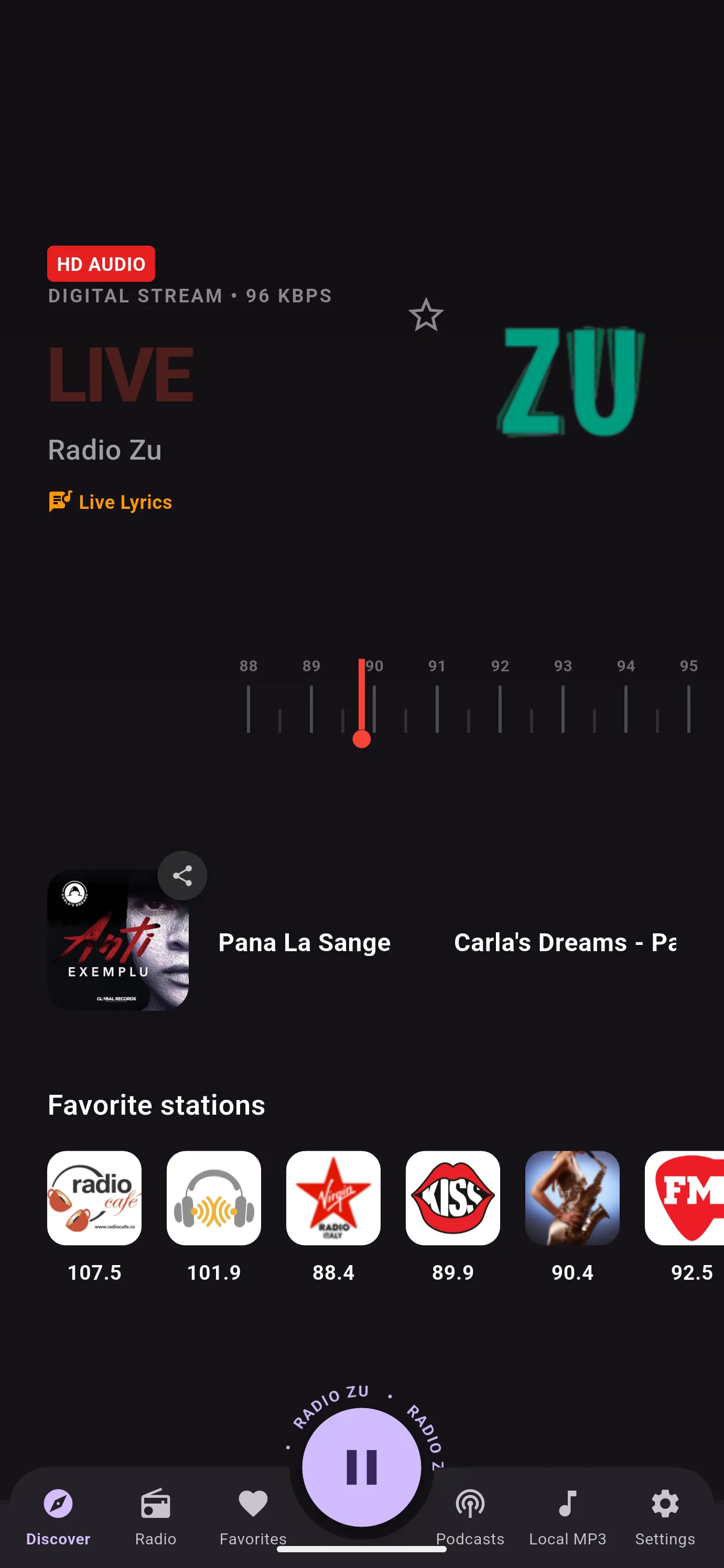
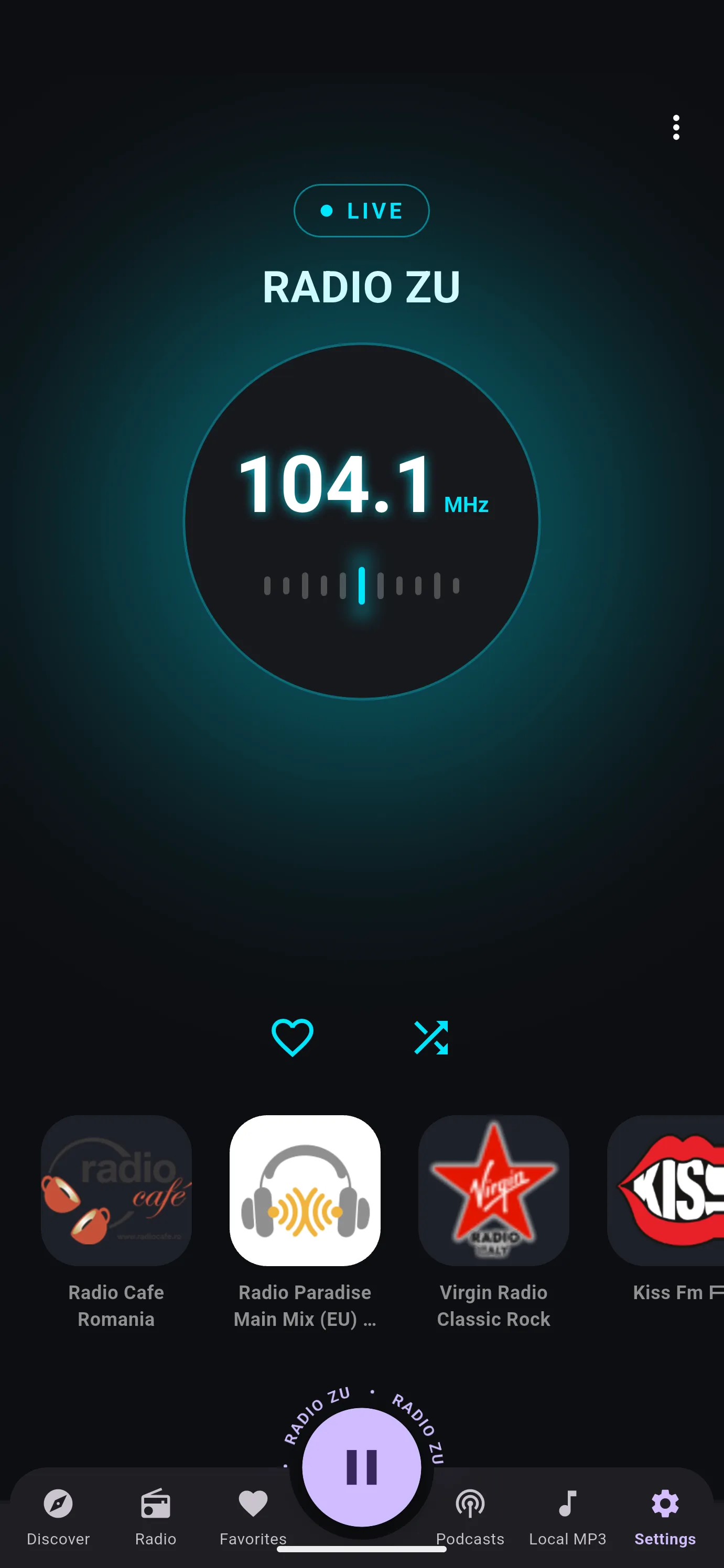
The Modern player turns to the station’s frequency on an analog dial, shows what is playing with the album cover, and keeps your favourite stations one tap away. Tap Live Lyrics and the words of the song follow along.
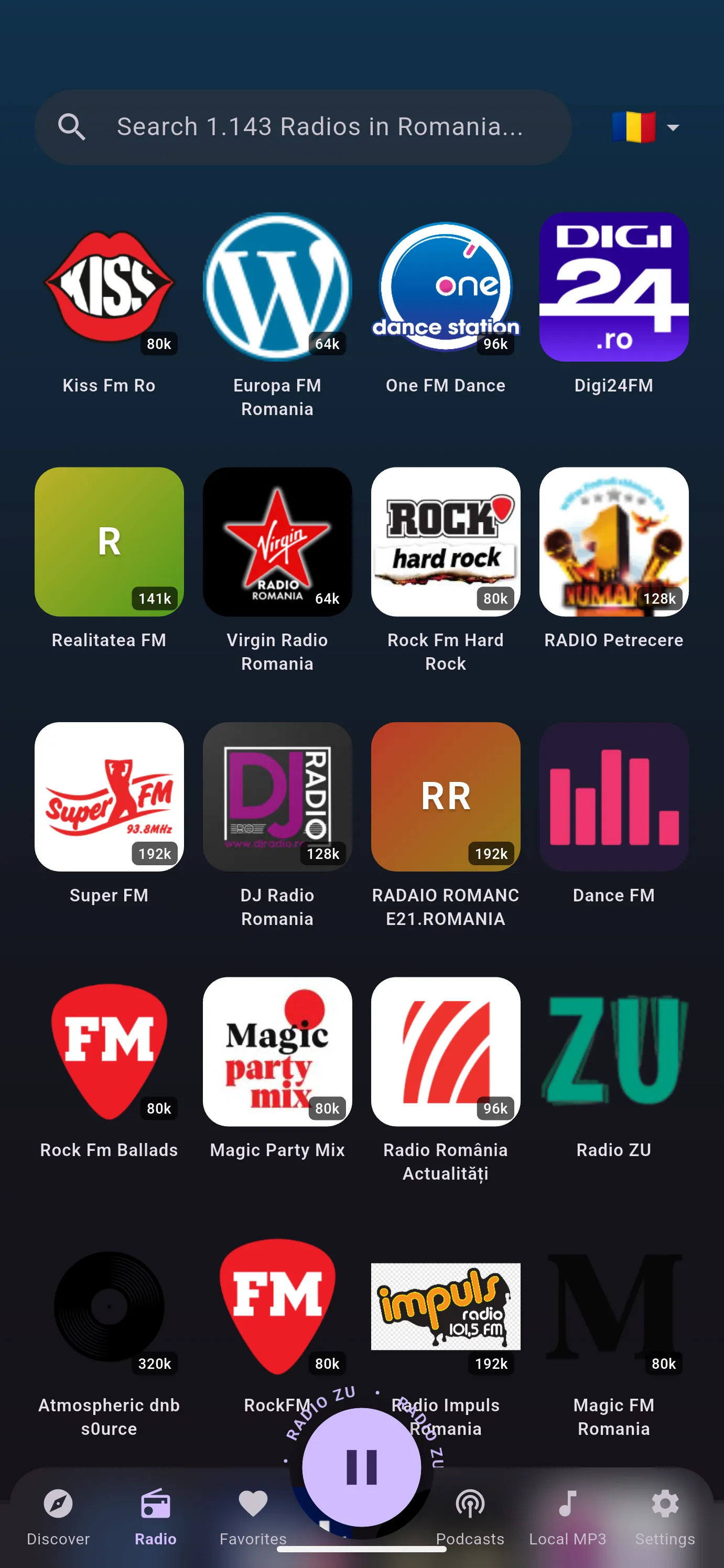
Pick a country — or the whole world — and search by station name or by genre at the same time. “Rock” with Romania selected finds Romanian rock stations.
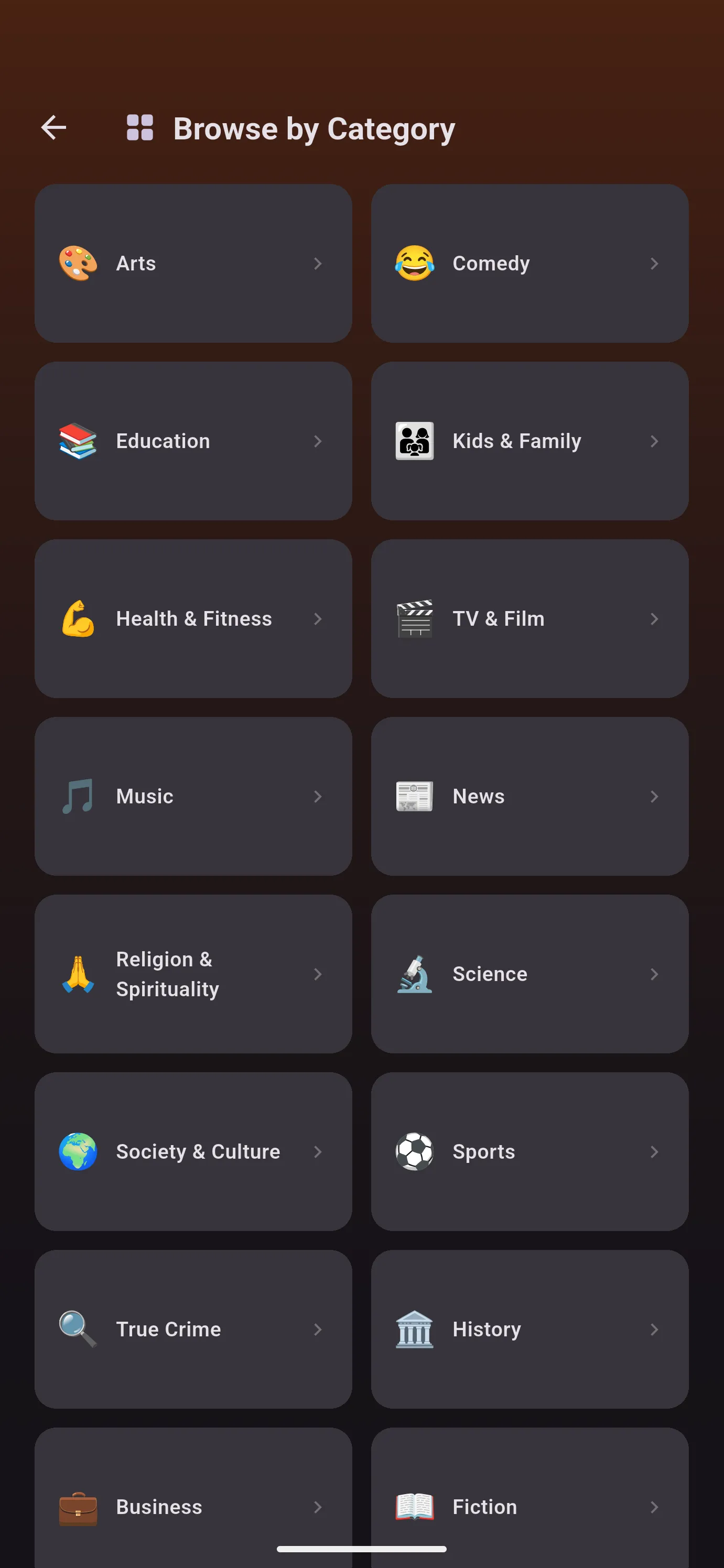
Browse by category, search two directories at once, or paste the RSS address of a show no directory knows about. Unleashed keeps your place in every episode.
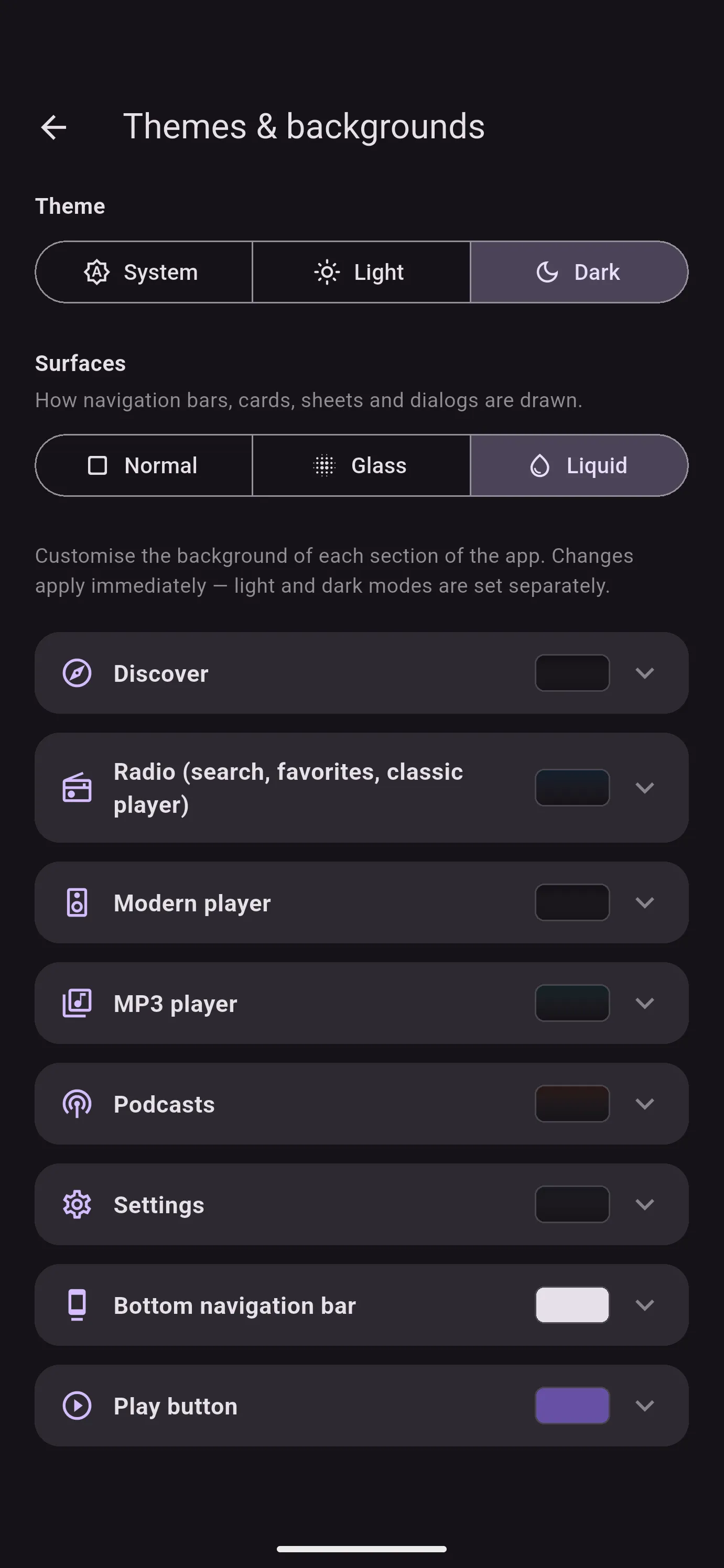
Light or dark, plain, glass or liquid glass, and a background of your own for each part of the app — a colour or a gradient, set separately for light and dark mode. Then pick a player: Classic, Modern, Sonar — or one you build yourself in Studio.
Studio
Studio is a player you put together yourself, brick by brick, on a canvas the size of your screen. Start from a template or from nothing, drag in what you want, and make it yours.
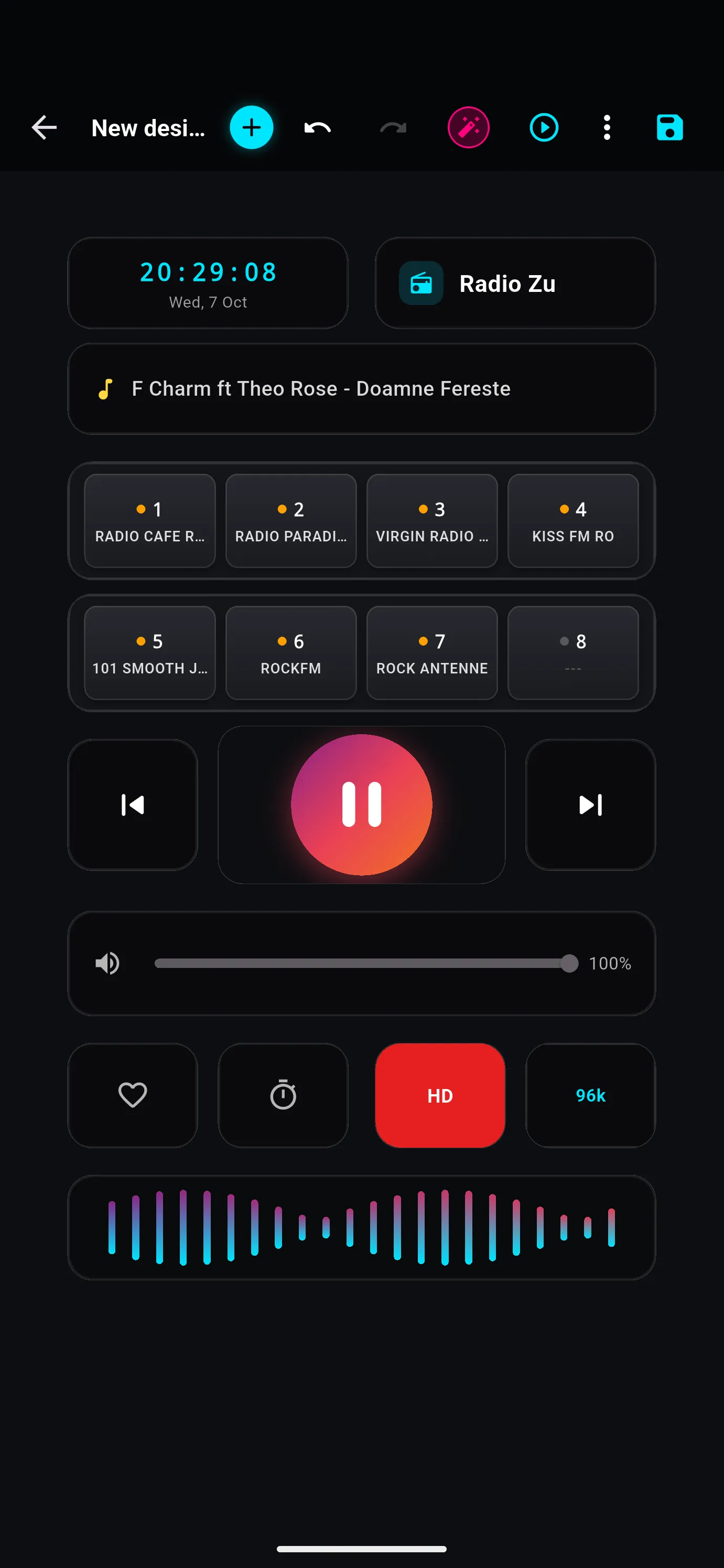
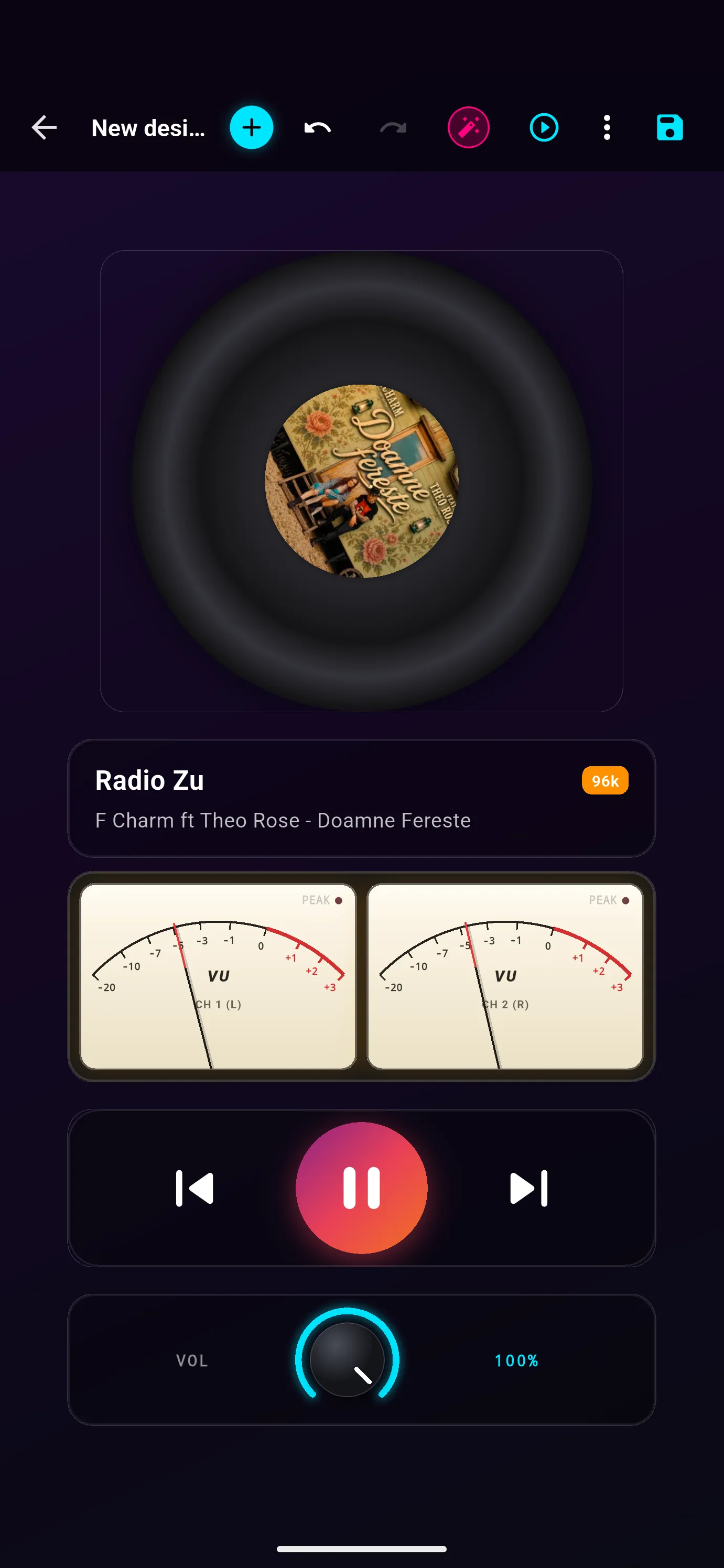
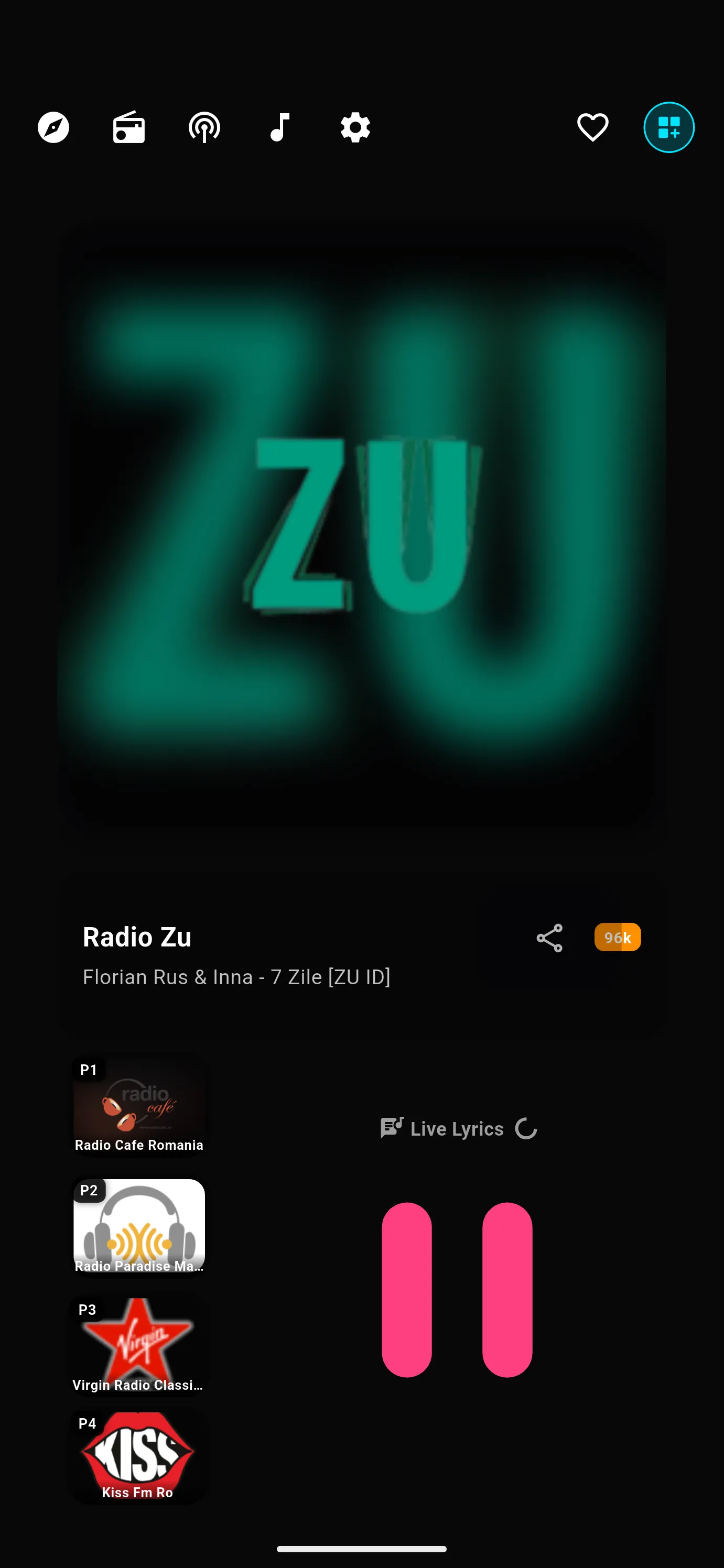
Some of the bricks
And also
The words of the song on air, when they exist, in a panel you can copy from or share.
Your stations and the ones you played last, kept on your device.
The volume fades out before it stops, so you do not wake up to the silence.
Wi-Fi to mobile data, a stalled stream, a long pause: playback picks up again by itself.
Send your favourites, podcasts and themes to another device over your Wi-Fi, or between two Android phones over Bluetooth — no internet needed.
Everything you set up, in a single file you can keep anywhere and restore after a reinstall.
Links hidden in a station’s song titles are removed, and stations known to misbehave are filtered out.
English, Romanian, German, French, Spanish, Portuguese, Hungarian, Russian and Chinese — switched without a restart.
On your computer too
Unleashed for Windows and macOS is a free download. It opens with a QR code: scan it with the phone where you bought Pro, or type the six-digit code, and the computer is unlocked.
One purchase covers up to three computers. Changed laptops? Remove the old one from your phone and activate the new one.
Activate Unleashed
482 913
Valid for 5:00
Computers · 3 of 3
Remove one to make room for a new computer.
Free or Pro
Unleashed is free to download. The first three days you get all of it; after that, the free version keeps playing, with fewer stations and without the extras. Pro is a single purchase — no subscription — and brings the desktop app with it.
Free
€0
After a 3-day trial of everything
Pro
One purchase
No subscription. Yours to keep.
| Feature | Free | Pro |
|---|---|---|
| Live radio | First 12 stations of a search | Every station |
| Discover | First station of each row | Every row, in full |
| Favourites | 3 | Unlimited |
| Podcasts and RSS | Not included | Included |
| Your own music | Not included | Included |
| Players | Classic | Classic, Modern, Sonar and Studio |
| Live lyrics | Not included | Included |
| Desktop app on 3 computers | Not included | Included |
| Themes, backup, transfer, your own streams | Included | Included |
Our promise
Screens
Questions
From Radio Browser, a free, community-run directory of radio stations, and from the SHOUTcast directory. Unleashed plays each stream directly from the station. A station that is not listed can be added by hand with its stream address.
After the three-day trial: the first 12 stations of a search, the first station of each Discover row, 3 favourites and the Classic player. Themes, backup, transfer and your own streams stay free. Podcasts, your own music, the Modern, Sonar and Studio players with live lyrics, and the desktop app come with Pro.
A player you design yourself. Pick bricks from the catalog — play buttons, station and song, album cover, vinyl, VU meters, a volume knob, an FM dial, favourites, clocks, a sleep countdown, your own text or picture — place them anywhere, resize them and choose their style and colour. Keep as many layouts as you like and switch between them in Settings → Player.
No. It is a single in-app purchase on Google Play or the App Store, and it is yours to keep. Restore it on a new phone with the same account.
Install it and open it: it shows a QR code and a six-digit code. On your phone with Pro, go to Settings → Computers → Activate a computer, and scan or type it. Up to three computers per purchase; you can remove one from the phone at any time.
No. Pro is tied to your purchase in the store, not to an account with us. Your favourites, podcasts and settings stay on your device.
English, Romanian, German, French, Spanish, Portuguese, Hungarian, Russian and Chinese. You can switch at any time in Settings.
Some stations go offline or move their stream. Try again later, or pick another stream of the same station. If security software on your computer blocks a stream, Unleashed tells you so instead of failing silently.

Coming soon on the App Store and Google Play, with the desktop app as a download from this page. The buttons below come alive on launch day.