Locally encrypted
Every document and every sensitive field is encrypted with AES-256-GCM on the device. The key never leaves the phone.

Security & privacy
Coming soon
Your digital vault. Offline. Encrypted. Only yours.
Scan your ID, store any secret you have, keep the 24 words of your hardware wallet, and leave clear instructions for your family. Æthel keeps all of it on your phone, encrypted with AES-256, and never sends a byte of it anywhere.
Built on three promises
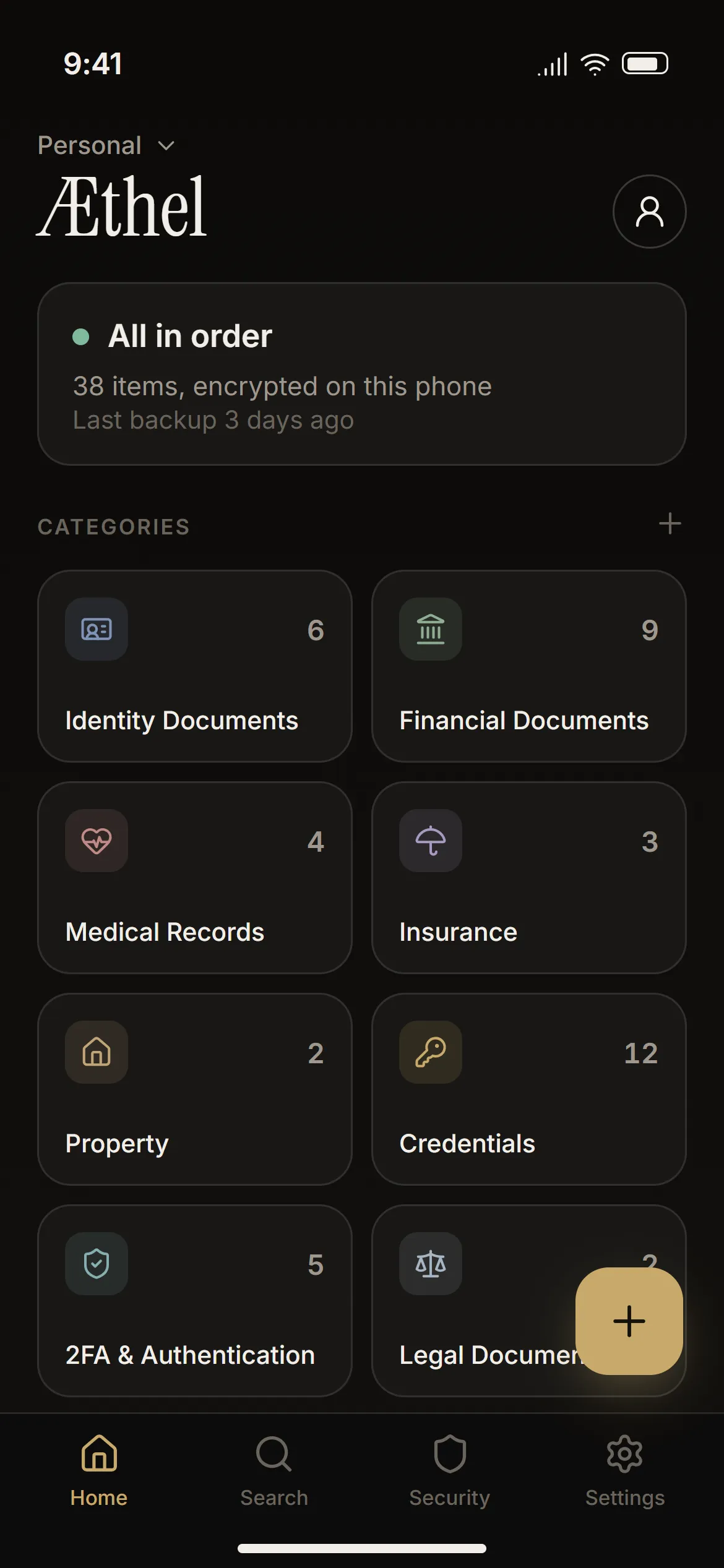
Every document and every sensitive field is encrypted with AES-256-GCM on the device. The key never leaves the phone.
No sync, no accounts, no servers, no telemetry, no crash reports. Your data exists only on your device.
There is no “forgot password” email. You hold the PIN and a 12-word recovery key — and with them, all the access there is.
Built with paranoia. Designed with care.
The two questions that matter: your phone in someone else’s hands, and your backup file on someone else’s computer. Pick your PIN or your backup password and see what an attacker is up against.
Five tries, then every wrong PIN doubles the wait — 30 seconds up to 32 minutes. The wait runs on a clock that changing the phone’s date cannot skip, and a reboot starts it again rather than ending it. Turn on “Wipe after N attempts” and there is no second chance at all.
Every guess needs a key that never leaves the phone’s secure hardware — the Keystore on Android, the Secure Enclave on iPhone — and that answers only while the phone is unlocked. So guesses cannot be moved to faster machines: about one per second, on the phone itself. A locked phone cannot be made to guess at all.
Without the hardware key inside your phone, a copied vault — even with the encrypted keys — gives no way to test a single PIN.
Æthel accepts 6 to 12 digits, and every extra digit multiplies the work by ten. It recommends 10 or more when you choose your PIN.
One tap in the backup dialog: six random words from a list of 7,776 — about 77 bits. Write them on paper.
The backup is meant to leave the phone, so it is protected by its password alone — no hardware key. Æthel stretches it with Argon2id at 256 MB of memory per guess — four times the PIN’s — so a rig manages a couple of hundred guesses a second, not billions.
Money buys speed, and nothing else: a hundred times the hardware, a hundred times faster.
The file and its password are all it takes to open a backup — so keep the file somewhere only you reach, and let Æthel generate the password.
Times are for trying every possibility; a lucky guess lands, on average, halfway. Figures come from Æthel’s own forensic audit and are orders of magnitude, not promises.
Inside the vault
Æthel is built around the moments that matter: the day you need a document fast, the day you lose your wallet, and the day someone else has to find what you left behind.
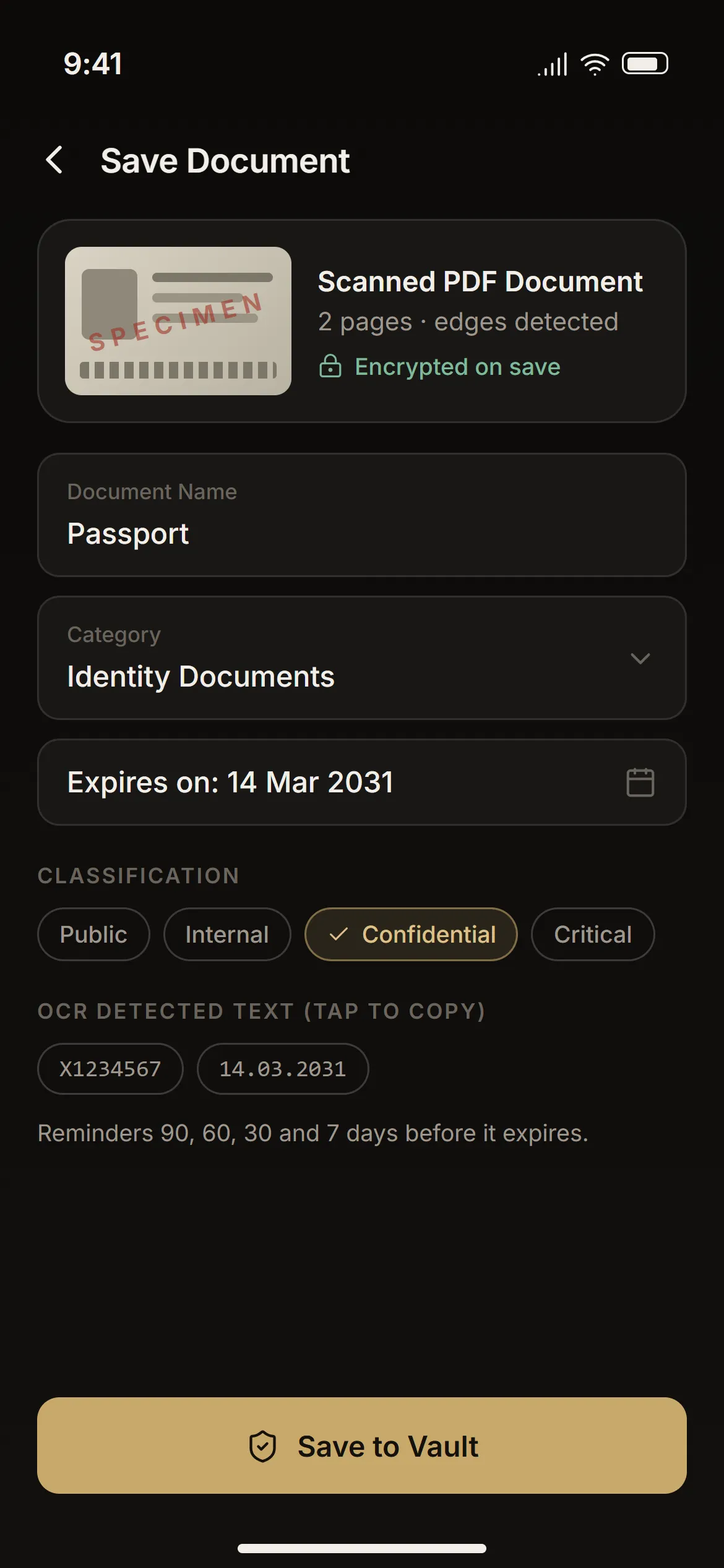
Point the camera at an ID card, a policy or a contract. Edges are detected and perspective is corrected; several pages become one PDF. The result is encrypted the moment you save it and never appears in your photo gallery.
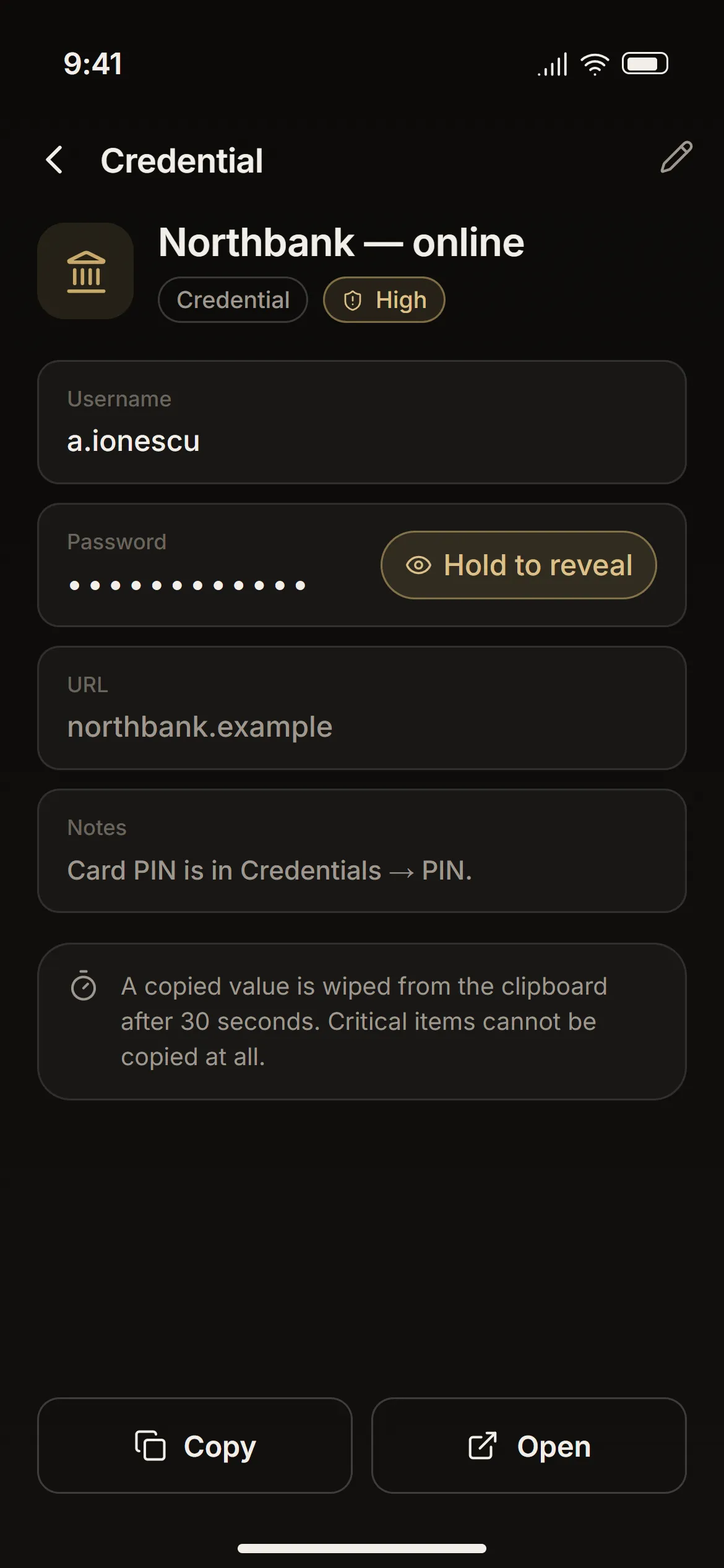
Twelve ready-made types cover logins, bank accounts, cards, licence keys, API keys and physical codes like the alarm or the safe. Sensitive fields are encrypted one by one and stay hidden until you hold “Reveal”.
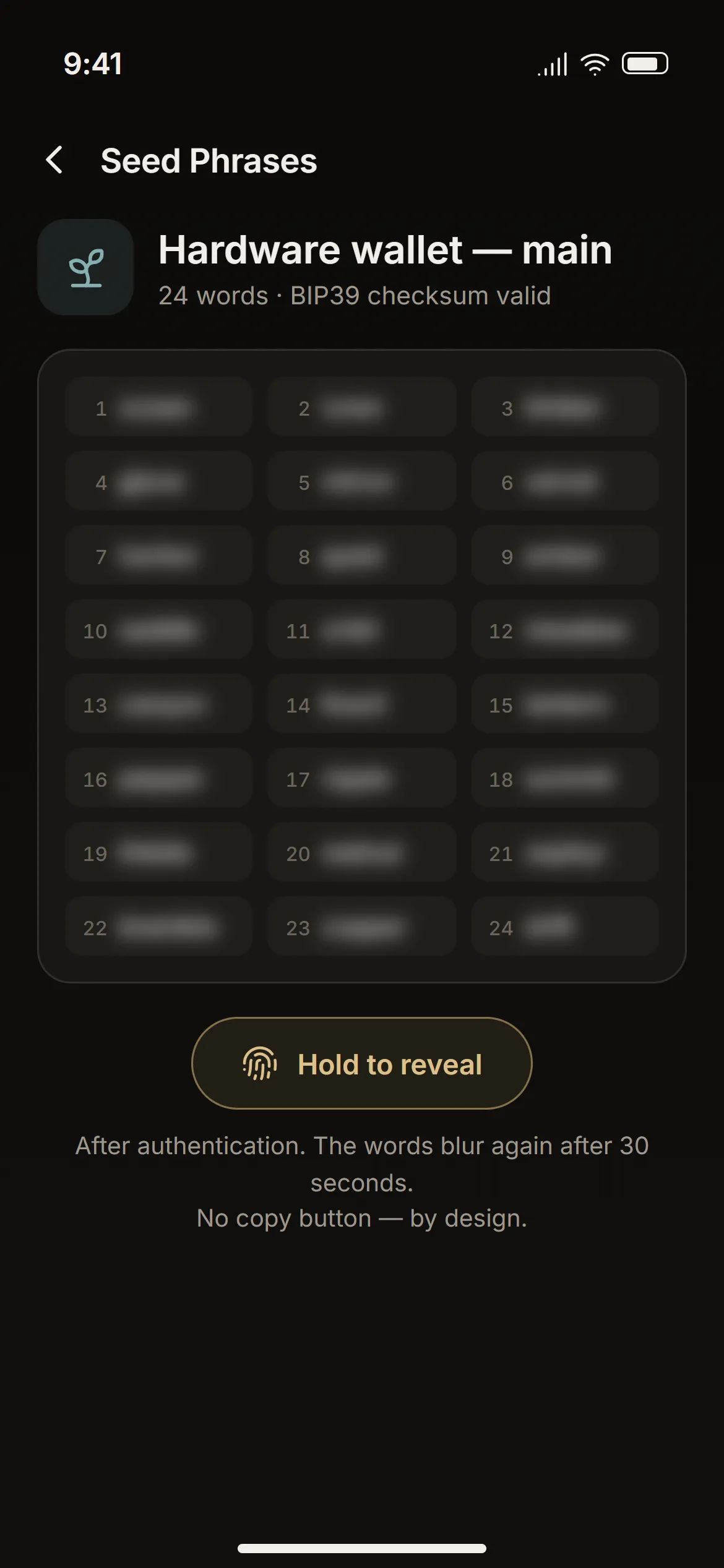
Enter 12 or 24 words one at a time; each is checked against the BIP39 word list and the checksum is verified at the end. To read them back you authenticate, hold for a moment, and get 30 seconds before they blur again.
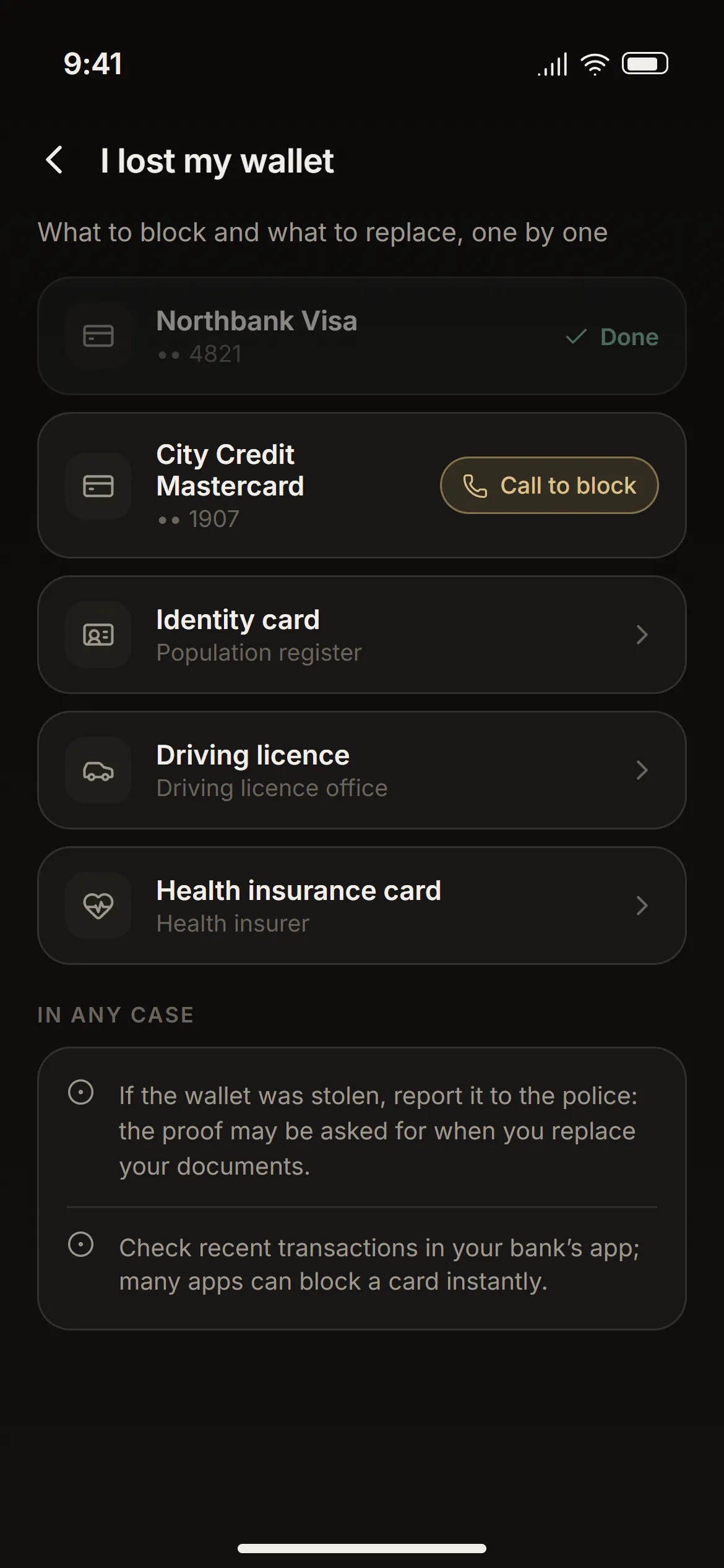
List what you carry — each card with the number on its back, each document with where to replace it. When the wallet is gone, Æthel walks you through blocking and replacing everything, one tap to call at a time.
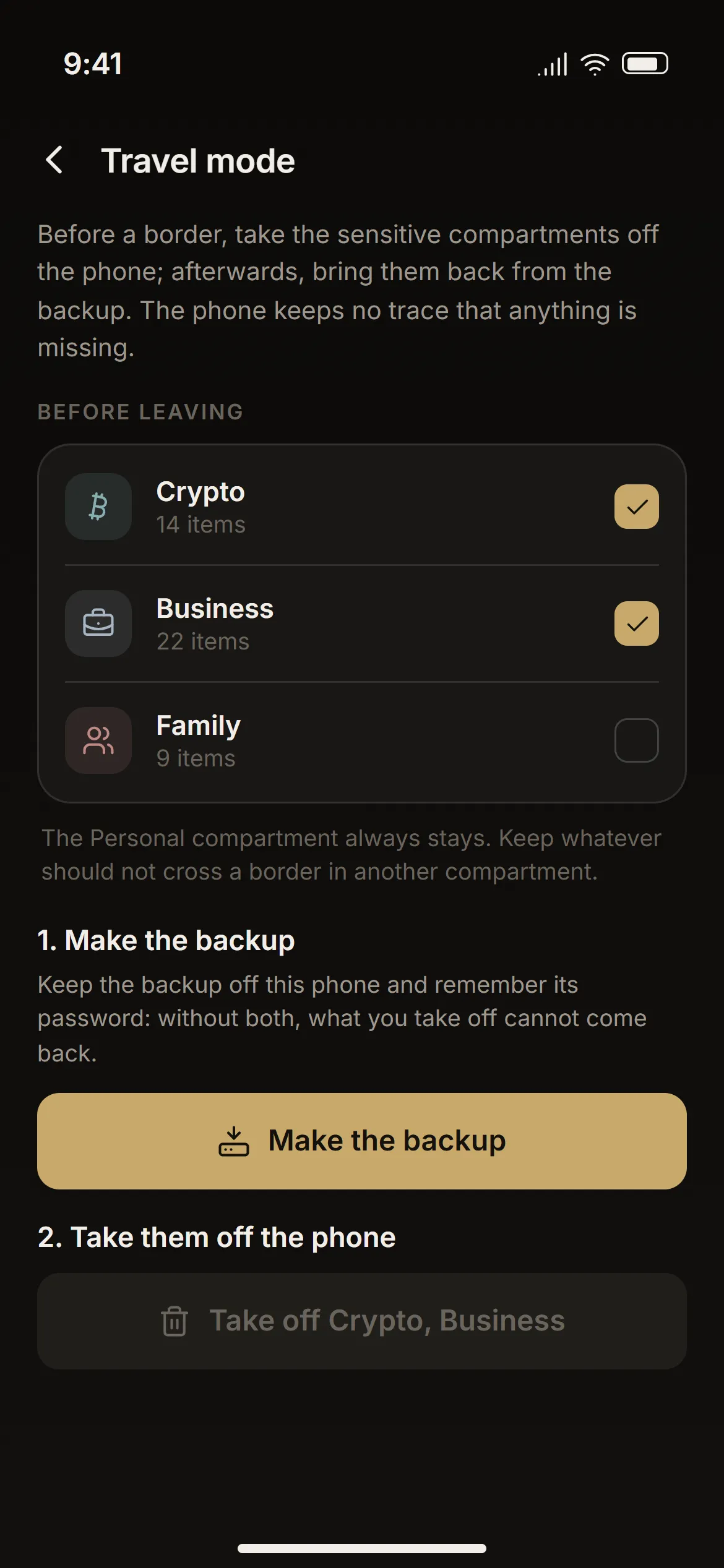
Before you travel, take whole compartments — Crypto, Business — off the phone, after a backup that has to leave it first. Nothing on the phone says anything was removed. When you are back, bring them home from that backup; whatever you added on the road stays.
What you can keep
IDs, passports, policies, deeds and contracts — images or multi-page PDFs, with thumbnails that are encrypted too.
Logins, bank accounts, cards, licence keys, alarm and safe codes, with field-level encryption.
BIP39 mnemonics with word-by-word validation, timed reveal and no clipboard.
A built-in authenticator — scan the site’s QR code and get the 6-digit codes — plus your backup codes, ticked off as you use them.
Device, firmware, serial number and where the physical backup is kept.
Markdown notes with attachments. Wrap a line in ||bars|| and it stays blurred until you hold it.
Separate spaces for the family’s papers or a company’s documents, switched on when you need them.
Move an item to another device through an encrypted QR code, without a network.
Duress mode
Set a second PIN. Typed under pressure, it opens a decoy vault: a separate database with its own keys, holding copies of only the compartments you chose — plus anything made up you add to it. The whole app is there, every tab, Settings and search included. Nothing is missing, so nothing gives it away.
The key to your real vault never even enters memory during a decoy session. Whoever learns the duress PIN learns the decoy — and nothing else.
Your real vault.
Its own keys, its own data. Every tab still there.
Recovery Center
A Recovery Health Score from 0 to 100 tells you how prepared you are: is the seed phrase confirmed, are the emergency contacts filled in, is the last backup recent, is the family guide written?
Leave instructions for your heirs — accounts, crypto, property, insurance — each with the person responsible. Export an Emergency Recovery Kit as a PDF that says who to call and where things are, and redacts every password and number automatically.
Shamir secret sharing · 3 of 5
Getting started
6 to 12 digits, turned into a key with Argon2id — slow on purpose, so guessing is impractical. Add your fingerprint or Face ID if you like.
Æthel generates a BIP39 recovery key and asks you for three of the words to be sure you wrote them correctly. It never stores them.
Optional. Pick which compartments the decoy vault copies.
Seed phrases, 2FA codes, hardware wallets, family or business vaults — only what you use.
Tap +, point the camera, save. It is encrypted before you lift your thumb.
Under the hood
Æthel has no backend and no telemetry. The only connection it can make is a direct, encrypted transfer between your own devices on your local Wi-Fi — never to the internet. An automated architecture test fails if any other part of the app opens a connection.
9e 41 c7 0b 5f a2 d8 13 6e f0 3c 97 b4 21 8a 5d e6 07 c3 7b 1f 92 4e a8Fresh nonce every time · any tampering fails the tag check · plaintext buffers wiped after use
Malware defence · Android
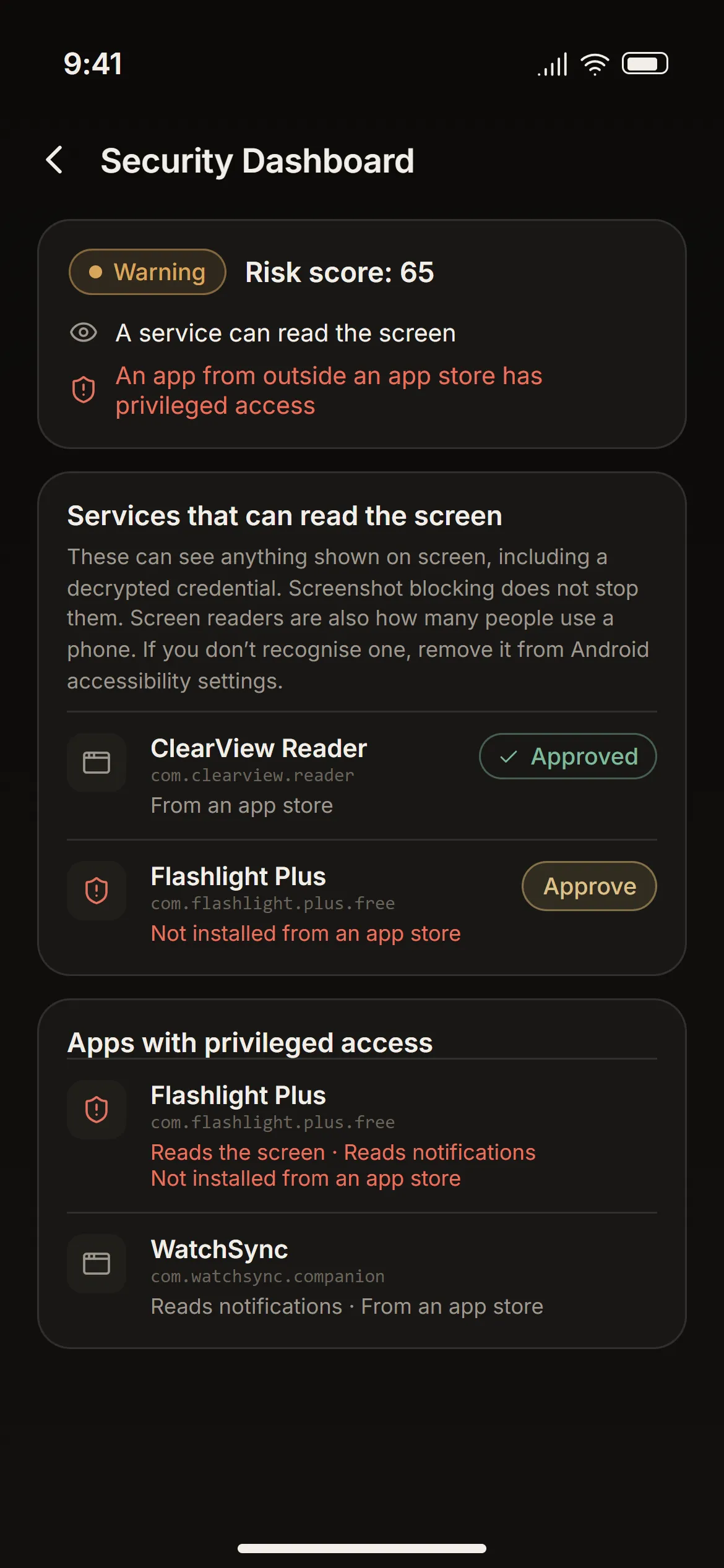
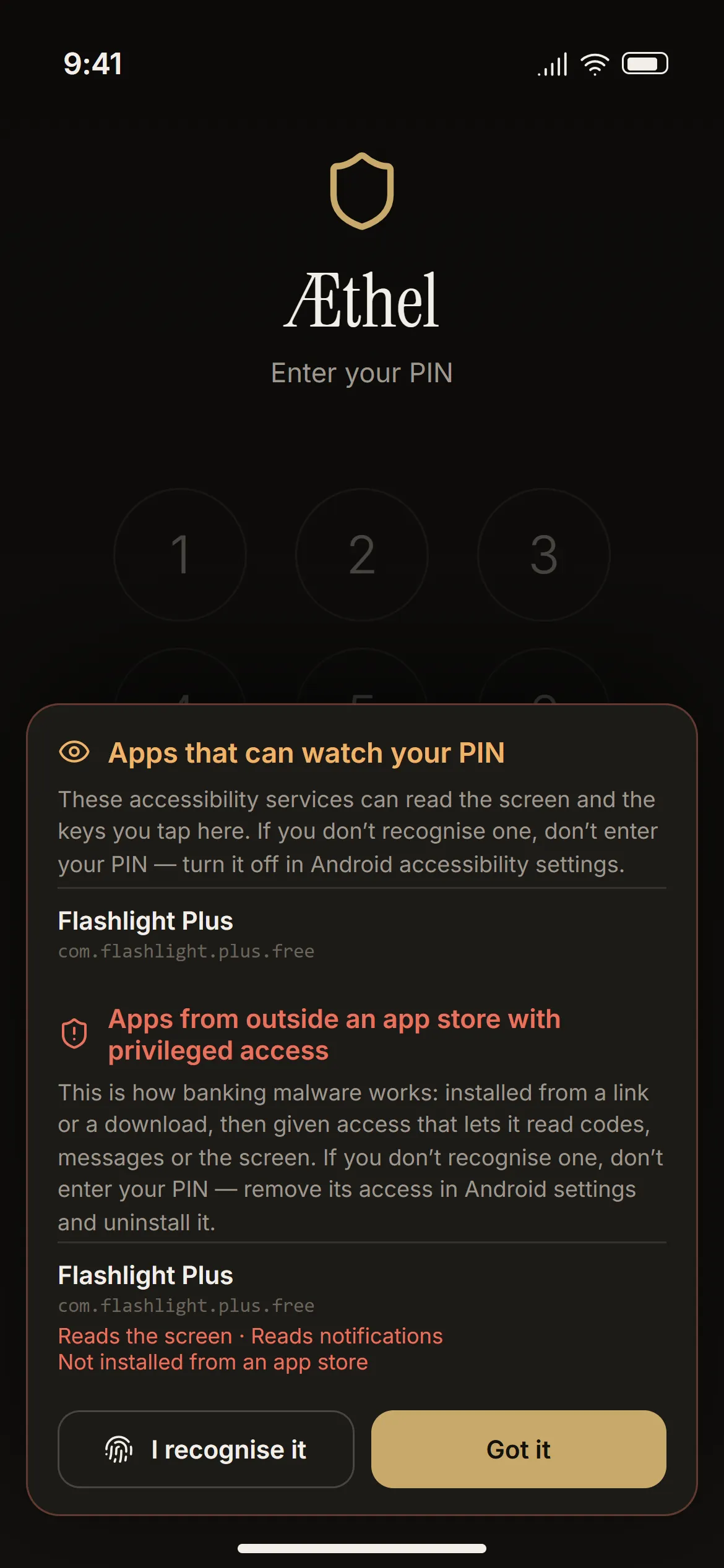
Blocking screenshots stops pixels, not accessibility services: they read the structure of the screen and every key you tap. On the lock screen, before a single digit, Æthel names every service that could read your PIN.
It also looks for the places banking malware has to sit — reading the screen, reading notifications and one-time codes, receiving SMS, or making itself a device admin so it cannot be removed — and says where each app holding one came from. One installed from outside an app store is flagged in red.
It warns and never blocks: screen readers are also how many people use a phone. Approve the ones you recognise in the Security Dashboard.
Our promise
Screens
Questions
Install Æthel on the new phone, set it up, then restore your latest .vault backup with its password. Everything comes back as it was. Without the backup file and its password, nobody — including us — can recover the data. That is also why Æthel refuses weak backup passwords: the file and its password are all it takes.
Your 12-word recovery key opens the vault and lets you set a new PIN. Your documents are not re-encrypted; only the way you reach the key changes.
No. Everything works offline. The only connection Æthel can make is a transfer between your own devices over your local Wi-Fi, when you start one.
No. There is no server, no account and no copy of your keys anywhere but on your device. That is the point — and also why the 12 words matter so much.
Export a single encrypted .vault file and keep it on a USB stick, on your computer, or send it to your laptop over the local Wi-Fi. Æthel refuses a password that is easy to guess and can generate six random words for you to write down. Seed phrases have their own separate export.
Yes — the vault, the encryption and the features are the same, and on both the PIN’s key has a hardware half: the Keystore on Android, the Secure Enclave on iPhone. Both scan with the system’s document camera, which finds the edges and straightens the page. Text is read on the device by ML Kit on Android and Apple Vision on iPhone. Blocking screenshots is possible only on Android; on both, the app switcher shows a blank screen.
English, Romanian, German, French, Spanish and Italian. You can switch at any time in Settings.

Coming soon on the App Store and Google Play. The buttons below come alive on launch day.